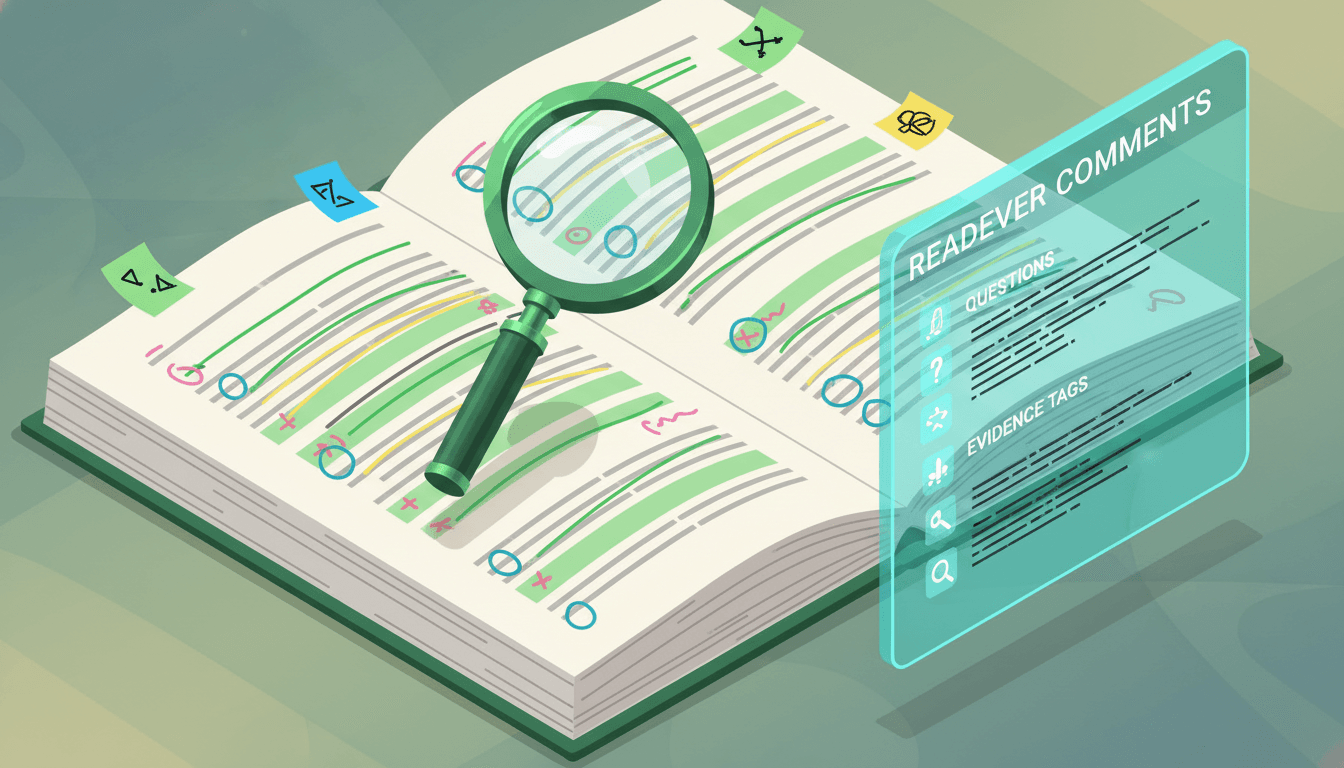
Annotating a research paper PDF should make the paper easier to question, verify, and use later. It should not turn every page fluorescent. A good annotation system marks the claim–evidence chain, records your response, and preserves enough location and citation detail to return to the source quickly.
The workflow below works with a basic PDF reader or a research library tool. The exact software matters less than consistent meanings, selective marks, and a final note written in your own words. Use annotation to stay engaged with the paper—not to replace reading it.
1. Define your reading question before choosing colors
Write your purpose at the top of the document note before you highlight anything. A narrow question gives you a reason to mark one passage and ignore another.
Examples include:
- Does this study directly address my research question?
- Is the method suitable for a project I am planning?
- Which evidence supports the paper’s central claim?
- Why does this paper disagree with another source?
- Which definitions or measurements do I need to compare?
Add a one-line scope rule: “I will annotate the primary outcome, design choices that affect interpretation, limitations, and two connections to other sources.” A scope rule prevents annotation from becoming transcription.
During a first scan, read the title, abstract, headings, figures, tables, conclusion, and publication details. Decide whether to stop, save, or continue. A PDF that does not fit your question may need only a short rejection note rather than dozens of highlights.
2. Set up the PDF and preserve the source record
Keep an unmodified copy or ensure your tool can export annotations without damaging the original. Give the file a stable, searchable name and attach the full citation, DOI or other identifier, source URL, and access date in the document record.
Before reading closely, check whether the PDF has searchable text, selectable passages, page numbers that match the printed article, and clear figures and tables. Optical character recognition can make scanned pages searchable, but OCR output may contain errors. Verify quotations, symbols, equations, names, and numbers against the visible page.
If a paper has supplementary files, a protocol, data, code, corrections, or a later retraction notice, link those records to the main paper. Annotation made on an outdated version can mislead later work. Keep version information where you will see it.
Most PDF tools support highlights, comments, underlines, shapes, and freehand marks. Adobe’s official Acrobat guidance and Zotero’s official PDF reader documentation describe these mechanics. Use only the tools that convey a stable meaning in your workflow.
3. Use a small annotation key with fixed meanings
Choose three to five categories. Too many colors are difficult to remember and can make visual review slower.
A practical key is:
- Claim: the paper’s research question, hypothesis, or central conclusion.
- Method: design, sample, measures, comparison, procedure, or analysis choice.
- Evidence: a result, figure, table, estimate, example, or quotation that supports a claim.
- Limit: uncertainty, exclusion, missing information, alternative explanation, or boundary.
- Connection: your question, critique, application, or link to another source.
Color alone is not accessible or durable enough. Add a short text tag such as CLAIM, METHOD, EVIDENCE, LIMIT, or CONNECT at the start of important comments. This remains understandable in an exported annotation list, in grayscale, or if colors render differently.
Avoid assigning “important” to one color. Importance changes with your task and gives you no clue why a passage matters. A semantic label tells your future self what to do with the mark.
4. Annotate the claim–method–evidence chain
Start with the paper’s stated objective and central claim. Then trace how the method could produce evidence for that claim.
In the methods, annotate the study design, selection process, population or data source, comparison, measures, timing, exclusions, and analysis choices relevant to your question. You do not need to highlight every procedural detail. Mark the decisions that affect what can be inferred.
In the results, connect each major finding to a figure, table, estimate, quotation, or other reported evidence. Add a comment that states the relationship: “Supports primary claim under this measure,” “Exploratory subgroup result,” or “No direct evidence for mechanism discussed later.”
Finally, compare the discussion with the results. Mark when the authors move from a reported result to an interpretation, explanation, application, or future possibility. These moves are not necessarily wrong, but your notes should keep tested findings separate from plausible extensions.
If the design is unfamiliar, state the uncertainty instead of guessing. Reporting guidelines indexed by the EQUATOR Network can help you identify information expected for many study types, but a reporting checklist is not a quality certificate.
5. Read figures and tables as arguments
Do not annotate only the prose around a figure. Inspect the title, axes, units, legend, sample sizes, uncertainty indicators, categories, and footnotes. Then connect the visual to the corresponding results paragraph.
A useful figure comment answers:
- What is compared?
- What direction and magnitude are visible?
- What uncertainty or variation is shown?
- Which population, condition, or time point applies?
- Does the caption or footnote change the interpretation?
For tables, mark the primary row and column, relevant adjusted and unadjusted values, missing data, and footnotes that alter definitions or counts. Avoid copying isolated numbers without their units and comparison.
If you cannot attach a comment to a visual element, place a numbered note beside it and repeat that number in your document note. Add a page or figure locator to every finding you may cite later.
6. Write comments that add reasoning
A highlight says “look here.” A comment should say why. Keep comments short enough to scan but specific enough to support later use.
Use prompts such as:
- Purpose: “Defines the primary outcome used in Figure 2.”
- Question: “Was this exclusion specified before analysis?”
- Contrast: “Uses a broader age range than the comparison study.”
- Boundary: “Association only; no intervention or temporal test.”
- Connection: “May explain the disagreement in my theory section.”
- Follow-up: “Check supplement for sensitivity analysis.”
Separate the authors’ statement from your response. A comment beginning “Authors report…” records the source. A comment beginning “I infer…” records your interpretation. This distinction reduces the chance that your idea will later be misremembered as the paper’s conclusion.
When exact wording matters, mark it as a quotation and retain the page. Otherwise, paraphrase after understanding the passage. Never paste unmarked source language into notes you may later treat as your own prose.
7. Ask questions beside difficult passages
Questions are productive annotations when they are precise. “What does this mean?” is less reusable than “Does this confidence interval include effects that would change the practical interpretation?” or “How were missing observations handled?”
For unfamiliar terms, write your preliminary interpretation and the source you used to check it. For methods outside your expertise, record what you can identify and what requires specialist review. Do not turn a generated explanation into a verified methodological judgment.
Readever’s AI reading assistant can help you formulate questions or navigate a dense passage, while talk-to-books provides a conversational way to explore the text. In both cases, return to the PDF before retaining a claim, number, quotation, method description, or citation.
Your question list also creates a reading plan. Resolve high-impact uncertainties now, defer low-impact ones, and stop investigating details that cannot change your use of the paper.
8. Convert annotations into a paper note
Annotations remain attached to page order. Your later project will usually need ideas organized by question, claim, or theme. After reading, convert the highest-value marks into a compact paper note.
Use this structure:
- Citation and version:
- My reading question:
- Research question:
- Design and data/population:
- Primary finding with locator:
- Evidence and uncertainty:
- Important method choices:
- Limitations and unanswered questions:
- Connection to other sources:
- How I may use this paper:
- Next action:
Try writing the note from memory first. Then reopen the annotated PDF and correct it. Retrieval reveals gaps that a familiar-looking highlight can hide.
Export annotations when your tool supports it, but treat the export as an inbox rather than finished scholarship. Remove duplicates, preserve locators, rewrite key ideas in your own words, and link them to the relevant project or literature-review theme.
9. Review and clean the annotation layer
At the end of a paper, scan only the marks. Can you reconstruct the question, method, main evidence, and limitations? If every paragraph is highlighted, delete or demote marks that add no retrieval value.
Resolve comments marked for follow-up. Check quotations character by character against the page. Verify numerical values, units, sample counts, figure labels, and references. Confirm whether a note describes a reported result, an author interpretation, or your inference.
Then assign a status:
- Screened: relevance decided.
- Annotated: important passages and questions marked.
- Verified note: reusable claims checked against the PDF.
- Appraised: design and reporting examined for the intended use.
- Integrated: connected to a synthesis, argument, or project.
A clean status stops preliminary annotations from being mistaken for completed appraisal.
10. Avoid common PDF annotation mistakes
Highlighting complete paragraphs: This removes prioritization. Mark the smallest passage that preserves the idea, then explain its role in a comment.
Using color without a key: Meanings fade. Put the key in every document note and add text labels to significant comments.
Skipping methods: A finding separated from design, comparison, measurement, and population becomes easy to overgeneralize.
Annotating only agreement: Mark contradictions, null results, ambiguities, and evidence that challenges your expectation.
Losing citation context: Preserve page, section, figure, table, version, and full source details.
Treating the annotation export as a summary: Exports follow page order and may contain copied fragments. Synthesize a separate note.
Letting software generate authority: Search, extraction, and AI assistance can support navigation. The visible source and qualified judgment remain necessary.
Readers can browse related science resources and academic workflows on the Readever blog, while keeping each annotation anchored to its source.
Frequently asked questions
What should I highlight in a research paper PDF?
Highlight the research question, key design and measurement choices, primary findings, definitions, limitations, and passages you may quote. Add a comment explaining why each important mark matters to your reading question.
How many annotation colors should I use?
Three to five stable categories are usually manageable. Use text tags as well as color so annotations remain understandable when exported, printed, viewed in grayscale, or opened in another tool.
Should I annotate the abstract?
You can mark the objective, design, and main claimed result for orientation, but verify them against the methods, results, figures, tables, limitations, and supplements. Do not let abstract annotations become your only evidence record.
Is highlighting enough for academic reading?
Usually not. Highlights identify passages but do not preserve your reasoning. Add concise comments, questions, evidence locators, and a post-reading paper note written in your own words.
How do I annotate a scanned research paper PDF?
Use OCR if permitted by your software and the document’s rights, then verify the recognized text against the visible page. OCR can misread equations, symbols, columns, names, and numbers, so check quotations and citations manually.
Can AI annotate a research paper for me?
AI may help surface passages or propose questions, but automated selections can omit context or contain errors. Verify all retained claims, numbers, methods, quotations, limitations, and references against the PDF, and keep your own purpose and judgment central.
Build a source trail, not a wall of highlights
Effective PDF annotation is selective and explainable. Define your question, label claims and evidence, inspect methods and visuals, add reasoning in comments, and convert the best marks into a verified note. Your future self should be able to see not only what mattered, but why.
Readever supports close reading with contextual explanations, highlights, and questions beside the text. It does not replace the paper, course requirements, or expert appraisal. Start reading with Readever.